
Commerce & ERP integration

B2B shops and customer portals with prices, stock and orders directly from the ERP

Customer prices, stock, orders and invoices directly from your systems, such as SAP, Microsoft Dynamics, PIM etc. We build the shop and interface together with your ERP consultancy and run both for years.

  • Shopware
  • Magento/Adobe Commerce
  • WooCommerce
  • Shopify
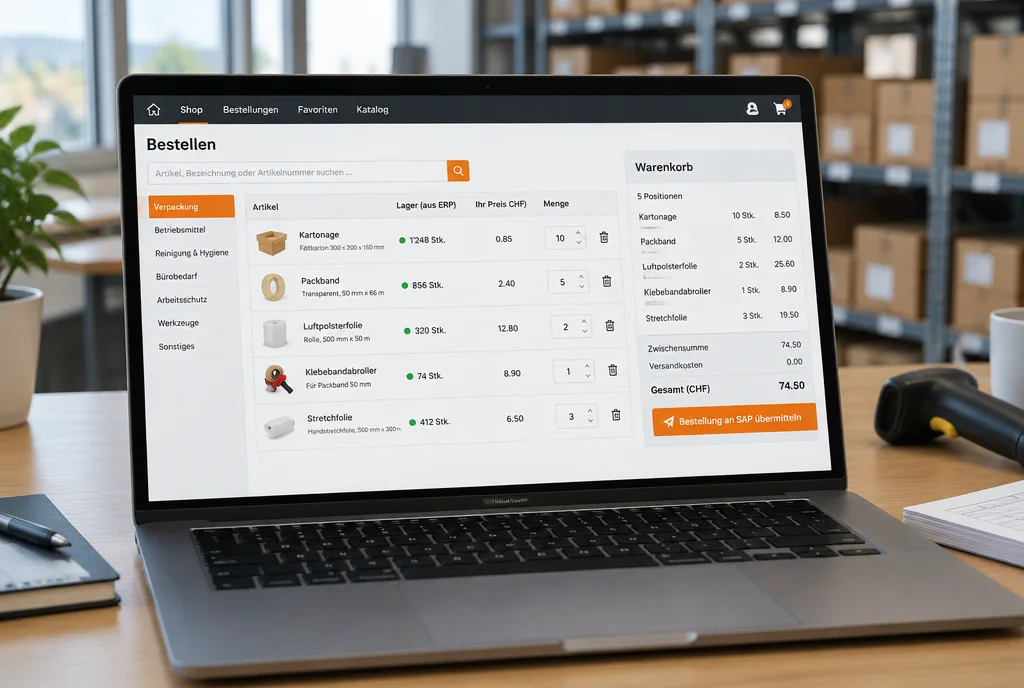
Illustration with sample data: shopping basket in the shop and customer order in the ERP, connected via the interface

Data flows

Connecting shop and ERP pays off most in five places

With an integration, the interface takes over what the sales back office often does by hand today. We check these five data flows first in every project.

  1. Prices

    ERPShop: data flow from ERP to shop

    Without integrationThe shop shows list prices. The customer expects their contract price and calls.

    With integrationEvery customer sees their own price, calculated from the terms in the ERP.

  2. Avail­ability

    ERPShop: data flow from ERP to shop

    Without integrationStock levels come from the last export. Customers order items that are no longer in stock.

    With integrationStock and delivery date are pulled from the ERP when the page is opened.

  3. Customer terms

    ERPShop: data flow from ERP to shop

    Without integrationDiscounts, payment terms and product ranges per customer are maintained twice.

    With integrationThe ERP remains the leading system. The shop takes over customer master data, terms and product range.

  4. Orders

    ShopERP: data flow from shop to ERP

    Without integrationOrders arrive by email and are retyped into the ERP.

    With integrationEvery order is created as a sales order in the ERP, and the status flows back into the shop.

  5. Invoices

    ERPPortal: data flow from ERP to portal

    Without integrationCustomers phone to ask for copies of invoices and delivery notes.

    With integrationInvoices, delivery notes and order status are available in the customer portal.

Proof points from Switzerland

Two Swiss shops already work with their ERP in this way

Both shops are connected to SAP and were built together with Swiss SAP consultancies. The consultants were responsible for the ERP, and we were responsible for the shop and interface.

Employee with a tablet between shelves of folding cartons and pharmaceutical packagingAI
  • Commerce & ERP integration
  • Industry & wholesale

B2B shop for packaging with SAP for Müller + Krempel AG

Symfony shop with SAP integration

  1. Problem

    Müller + Krempel AG supplies primary packaging for pharma, food and cosmetics. Business customers were to order online, with data directly from SAP.

  2. Solution

    An online shop based on Symfony, connected to SAP.

  3. Integration
    • PHP/Symfony
    • SAP
    • B2B shop
    • Maintenance
  4. Result

    Business customers order online. REEA looks after the shop on an ongoing maintenance basis.

Read case
Tradesman ordering workwear on a laptop in his workshopAI
  • Commerce & ERP integration
  • Retail & e-commerce

B2B and B2C shop for workwear from ALBIRO AG

2customer groups in one shop: business and private customers

  1. Problem

    ALBIRO AG supplies workwear, protective clothing and safety clothing. One shop was to serve both business and private customers, connected to the SAP backend.

  2. Solution

    Shop on Magento with Symfony and a web app, connected to SAP.

  3. Integration
    • Magento
    • PHP/Symfony
    • Web app
    • SAP
  4. Result

    Both customer groups buy in the same shop. REEA maintains it on an ongoing basis and now also supports a sister company within the group.

Read case

More references

Collaboration

We work hand in hand with your ERP consultancy

Your ERP consultancy, for example for SAP or Microsoft Dynamics, knows your ERP; we know shop, portal and interface. A clear division of tasks prevents two parties building the same thing, or nobody closing the gap in between.

TaskYour ERP consultancyREEA
Customising, pricing and terms in the ERPyesno
Provide and approve interfaces in the ERPyesno
Define data fields, directions and error casestogetheryesyes
Middleware, data synchronisation and error handlingnoyes
Shop, customer portal and UX/UI designnoyes
Tests with real data from the ERP test systemtogetheryesyes
Operation, updates and monitoring of the interfacenoyes

A typical split. In the project we agree it with everyone involved.

Interface

We connect your shop system to ERP, CRM and PIM

Choose a system. The connection behind it always follows the same principle: prices, stock and customer data come from ERP, CRM or PIM, such as SAP, Microsoft Dynamics, etc. Orders go back.

Diagram: chosen system, interface and core systems. Data points flow in both directions.

Shopware

Strong in B2B with customer groups, approvals and individual prices. A common target when an older Magento shop is being replaced.

  • New build
  • Migration from Magento
  • ERP integration
  • Maintenance

Magento / Adobe Commerce

For large product ranges and several shops on one installation. We take over existing shops, carry out version upgrades and rebuild the interfaces when the ERP changes.

  • Takeover
  • Version change
  • ERP integration
  • Maintenance

WooCommerce

For shops closely tied to a WordPress website. We build the ERP integration as a custom interface that we document and maintain.

  • Shop and website
  • Custom interface
  • Maintenance

Shopify

For shops that need to launch quickly. The connection to ERP and PIM runs via middleware so that logic and data are not locked into the shop.

  • Quick start
  • Middleware
  • ERP and PIM integration

Customer portal

When business customers need more than a shopping basket: invoices, delivery notes, order status and reorders behind a login. Often together with the shop, on the same interfaces.

  • Self-service
  • Shared login
  • The same interfaces

Also in use: PrestaShop · Sylius · custom ordering portals on Symfony

Process

One team takes you from concept through design in Figma to operation

Integration does not start in the code. The data from the ERP belongs in the very first draft, otherwise the user interface will not fit the data interface later on.

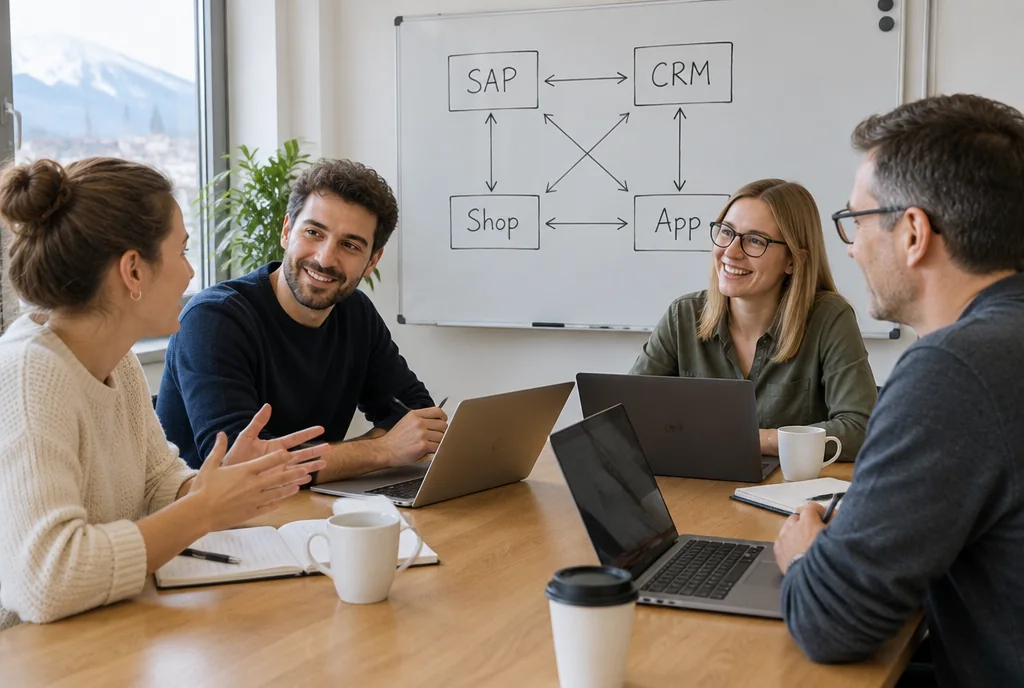
Four people in a workshop at a table, the whiteboard showing SAP, CRM, shop and app connected by arrowsAI
Illustration with sample data: draft of a product page in Figma, with notes on the ERP data
Laptop showing a B2B shop with stock levels from the ERP and an order sent to SAP, example displayAI
  1. Concept

    We map the ordering process, pricing logic and data flows with the business department, IT and the people responsible for the ERP. This results in a target picture, a list of interfaces and a stage plan.

  2. UX/UI design in Figma

    We design the shop and customer portal up to a clickable prototype. Customer prices, availability and order status are in the draft from the start, not only in the code.

  3. Implementation

    The shop and interfaces are built in parallel. We test in stages against the ERP test system, with real items, customers and terms.

  4. Operation

    After go-live, we monitor the interfaces, install security updates and develop the shop further.

Operation for years

After go-live, we keep developing your shop

15+years: that is how long our longest client relationships have lasted.
  • Hosting

    Hosting in Switzerland possible, e.g. with Infomaniak, or in the EU.

  • Security

    Development takes place in our development centre, certified to ISO 27001 for information security and to ISO 9001, 14001 and 45001.

  • Takeover

    We also take over shops from other service providers and review the code and interfaces first.

  • ERP switch

    If the ERP changes, we adapt the interface in good time, coordinated with the people responsible for your ERP.

  • ISO27001ISO 27001: Information security
  • ISO9001ISO 9001: Quality management
  • ISO14001ISO 14001: Environmental management
  • ISO45001ISO 45001: Occupational health and safety

Diagram: what comes up in the years after go-live

  1. Go-liveShop, portal and interfaces go live.
  2. OngoingSecurity updates, monitoring of the interfaces.
  3. Version upgradeNew major version of the shop system.
  4. ERP migrationIf the ERP changes, for example when SAP ECC maintenance ends in 2027, the interfaces move with it.
  5. Further developmentNew features for customers and the sales back office.

Systems

Systems we integrate

We work with what you already run and only recommend a switch if it pays off.

All systems at a glance
Development
  • Laravel
  • React
  • PWA
  • REST API
  • Extbase/Fluid
  • PHP
  • Next.js
  • Symfony
Commerce
  • Shopware
  • Payment providers
  • Adobe Commerce
  • WooCommerce
  • Sylius
  • Shopify
  • PrestaShop
  • Magento
Enterprise Systems
  • PIM systems
  • SAP
  • MailChimp
  • Microsoft Dynamics
  • Bynder
CMS
  • WordPress
Cloud
  • Infomaniak

and many more

FAQ

Frequently asked questions

In principle, all the common ones. We work mainly with Shopware, Magento and Adobe Commerce, WooCommerce and Shopify, as well as PrestaShop and Sylius. Which system fits depends on your product range, pricing logic, customer groups and your ERP.

Either the shop queries the price directly in the ERP when the page is opened, for example in SAP or Microsoft Dynamics, or the terms are transferred regularly and calculated in the shop. Which fits better depends on the number of customers and items, and on how often prices change. We clarify this in the concept.

Yes, that is our preferred model. Your ERP consultancy is responsible for customising and the interfaces on the ERP side; we handle the shop, portal, middleware and operation. We define data fields and error cases together.

Regular maintenance of SAP ERP 6.0 ends at the end of 2027 and can be extended at extra cost until the end of 2030. When you move to a new SAP system, the interfaces between shop and ERP have to be adapted or rebuilt. We plan them together with your SAP migration so that the shop is ready on the changeover date.

That depends on your Magento version, the extensions and your product range. We compare the effort and benefit of upgrading versus switching and recommend the route that is cheaper to run in the long term. If you switch, we carry over customer accounts, data and redirects.

Often, yes. Business customers do not just want to order, but also to see invoices, delivery notes and order status. The shop and portal can run on the same interfaces, with a shared login.

Yes. We take over shops from other service providers, first review the code and interfaces, and then take care of security updates, version upgrades and further development.

Your system, our connection

A plan for connecting your shop to the ERP in 60 minutes

In the Integration Check we spend around 60 minutes mapping shop, ERP and PIM, show the most important starting points and then send you a written result with a cost estimate. The check is free of charge.

What you bring: a list of your systems and two questions on your mind.